You might have a home office setup, but is it ergonomic? You’ve heard this term a lot lately and it feels like a trending topic, so what does it mean? Well, ergonomics is the study of people’s efficiency in their working environment. Many people consider it a science, with the goal of creating a workplace that makes you feel comfortable while you’re working. As a result, the added comfort leads to more efficient and productive working patterns because you feel more at ease.
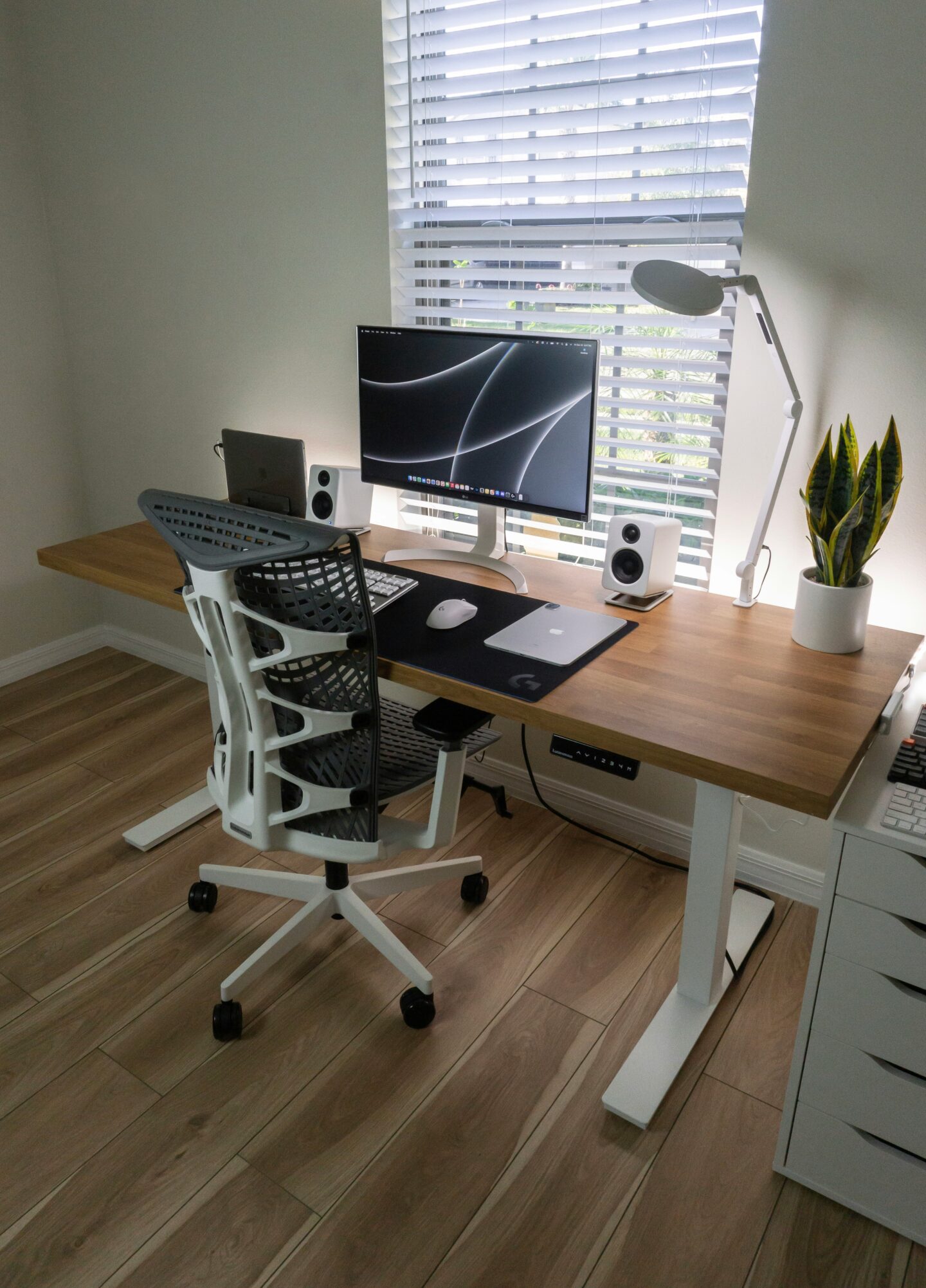
In that sense, an ergonomic home office setup will be designed to do the following:
- Prevent common pains while working
- Keep you focused
- Remain comfortable for many years to come
Buying a random desk and slapping a computer on top with any old office chair is no longer good enough. If you want to achieve true ergonomics, follow the steps below.
Step 1: Pick A Supportive Desk Chair
Choosing your desk chair is more important than you think. It sets the tone for the entire setup and can ruin your ergonomics right away. You may be shocked to learn that there is a “right” way to sit at your desk:
- Your back must be straight and not slouched or overly arched
- Your feet should be flat, with your knees bent to around 90 degrees
- Your elbows should be bent to about 90 degrees, with your shoulders relaxed
To be honest, most of the chairs you could buy will not let you achieve these three parameters. You need to find a truly ergonomic chair with lumbar support, adjustable armrests, and an adjustable height. This will let you sit in the most ergonomically comfortable position to avoid back, neck, and shoulder pain while you work.
Ergonomic office chairs aren’t usually cheap, but they’re worth purchasing. Some may cross the thousand-dollar threshold – which seems like a lot to spend on a chair, but think of it this way. You’ll sit in that chair for many hours a day for multiple years. It’s worth investing in the most comfortable option out there, regardless of the price.
Step 2: Arrange Your Monitor For A Neutral Neck Position
Tilt your head up, now tilt it down. Both represent two ends of the spectrum for your neck’s position. When your head is tilted up, you’re arching the vertebrae in your neck and putting them under strain. If you tilt your head down, you’re putting more pressure on the back neck muscles and compressing your spine too much.
You don’t want to be in either position for too long, which is why you need to find the neutral neck position while you work. This will be when your neck is nicely straight without being too arched or rounded. Find this position when you sit in your desk chair, then look straight ahead.
This is where you should position your monitor.
Use monitor arms or a stand to raise your screen so it sits at your eye level with a neutral neck. Achieving this placement means you can look at your screen without putting too much strain on your neck muscles or vertebrae, preventing chronic neck pain as you work.
Step 4: Make Sure Your Desk Doesn’t Ruin Your Ergonomic Chair
Okay, what does this mean? You spent a lot of time testing chairs and finding the perfect one, but the wrong desk can ruin all of that.
Remember one of the key components of an ergonomic chair was the ability for it to let you sit with your shoulders relaxed and elbows bent at 90 degrees. Let’s imagine you bought a desk that’s quite low to the ground. Your arms can’t rest on it unless you adjust the height of your chair – but then that can mean your legs are too bent and feel uncomfortable.
On the other side of the spectrum, if your desk is too tall, then your arms rest on it with your shoulders too hunched up and tense. This ruins your ergonomic chair – and you have to raise it to make your arms sit comfortably, though that might mean your feet don’t touch the floor.
As you can see it all comes down to desk height, which is why it’s just smarter to choose an adjustable desk. Pick one up that lets you set the height however you want. This is the perfect way to ensure you can sit ergonomically in your chair with your arms resting on the desk at the same time.
Step 5: Adjust Your Monitor To Avoid Eye Strain
Eye strain is easily forgettable when talking about ergonomics and creating a more productive home office, but it can lead to long-term health problems. Persistent eye strain may cause chronic headaches and migraines while also drying out your eyes and possibly leading to eyesight issues.
Adjust your monitor to prevent this by doing three key things:
- Make sure it’s about an arm’s length from your face
- Alter the brightness to match the ambient lighting in your room
- Provide ample lighting in your room at all times
Placing your screen at the right distance means you’re never straining your eyes because it’s too close or far away. Your monitor’s brightness also stops you from hurting your eyes, while good room lighting prevents a contrast between a bright monitor and a dark room, which causes eye strain.
Step 6: Keep Your Mouse & Keyboard Within An Arm’s Length
Rest your arms on your desk and see where your hands end up. That’s where you need to place your keyboard. It should fit just under your hands so you can type without stretching too far ahead of you. Place your mouse slightly to the side so it’s close to your keyboard, and you don’t have to stretch to reach it either.
This setup will stop your arm muscles from getting sore, especially if you’re typing for hours at a time.
And with that comes the end of this step-by-step guide to creating an ergonomic home office desk. As good as these tips are for making your setup more comfortable and efficient, don’t forget to take breaks! Set a timer to get up at least once an hour so you can stretch your body and get out of the seated position. That’s how you avoid aches and pains and remain focused.
Thanks for stopping by!
Magda
xoxo
<3